
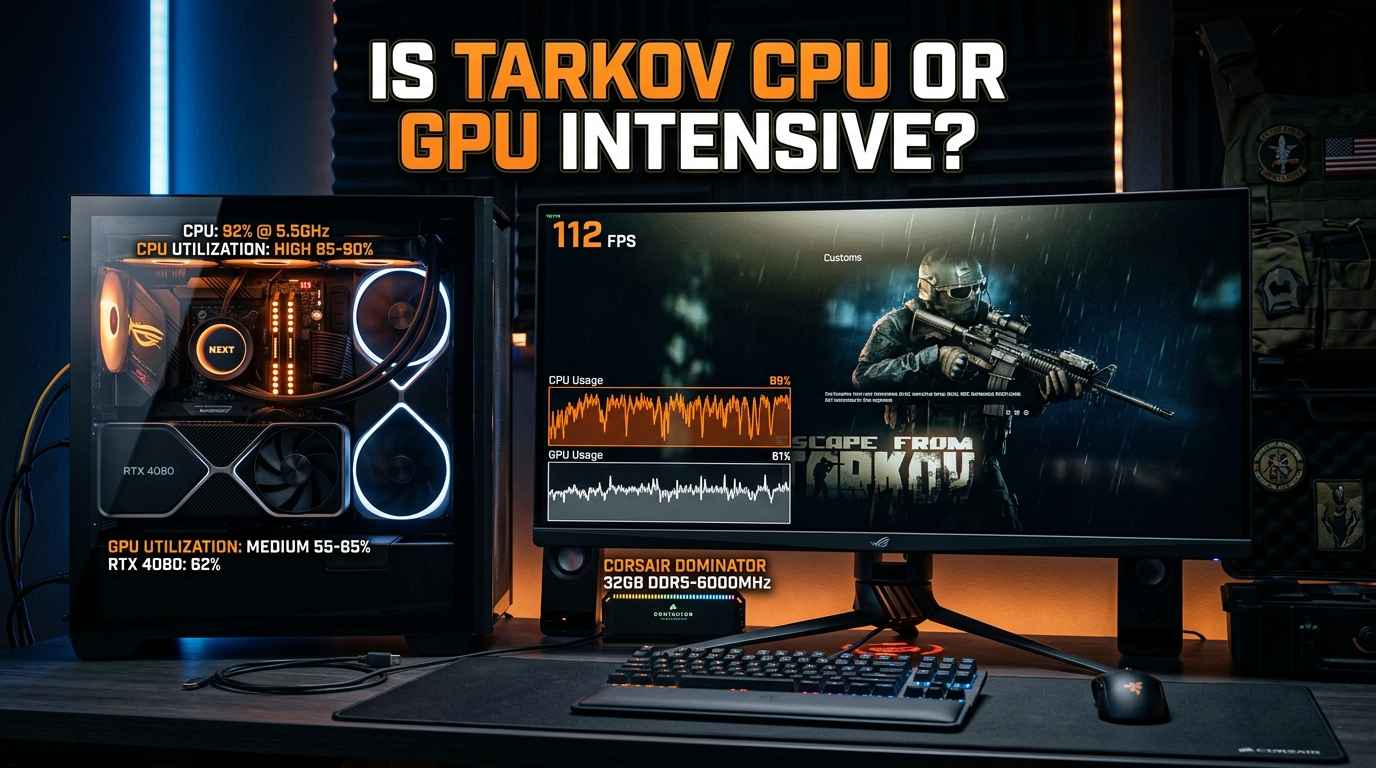
If you are wondering, “Is Tarkov CPU or GPU intensive?”, the short answer is that Escape from Tarkov is generally more CPU intensive than GPU intensive, especially when you are playing at 1080p. The game depends heavily on your processor for things like AI, player movement, physics, map loading, and other background tasks. However, your graphics card is still important because it controls visual quality, resolution, textures, shadows, and overall image rendering.
For players in the USA building or upgrading a gaming PC, understanding this balance can help you spend your money wisely. Buying a powerful GPU while using a weak CPU may not give you the smooth Tarkov experience you expect. On the other hand, a good CPU paired with a suitable GPU can provide better FPS and more stable gameplay.
Understanding Tarkov’s CPU and GPU Usage
Escape from Tarkov is a demanding PC game, but it does not use your hardware in the same way as every other modern game. Many games are mainly limited by the GPU, especially when you play at high resolutions with high graphics settings. Tarkov can be different.
The CPU has a very important job in Tarkov because the game needs to process many systems at the same time. These include AI-controlled Scavs and bosses, player actions, physics, inventory systems, sound-related calculations, and map-related processes. When there are many things happening around you, the CPU can become a major limit.
The GPU is responsible for drawing the game world on your screen. It handles textures, lighting, shadows, effects, resolution, and other visual features. If you increase your resolution from 1080p to 1440p or 4K, your GPU usually has to work much harder.
This means that the answer to “Is Tarkov CPU or GPU intensive?” depends on your PC, resolution, graphics settings, and the map you are playing.
Why Tarkov Can Be CPU Intensive
One of the biggest reasons Tarkov can be CPU intensive is the amount of game logic that your processor needs to handle. A multiplayer shooter has to manage information about players, AI, objects, movement, and many other systems.
Tarkov’s maps can also be large and detailed. Your CPU helps process the information needed to keep the game running. Maps with more AI and activity can put additional pressure on the processor.
This is one reason you may notice that your FPS changes between different maps. A PC that performs well on one map may have lower FPS on another map because the CPU has more work to do.
The CPU can become even more important when you are trying to reach high FPS. For example, if you want 120 FPS or more at 1080p, your GPU may have enough power to render the frames, but your CPU might not be able to prepare those frames quickly enough.
In this situation, upgrading the graphics card may not make a large difference. A faster CPU, better memory, or improved system settings may provide a bigger improvement.
Why Your GPU Still Matters
Although Tarkov is often CPU limited, you should not think that the GPU is unimportant. A good graphics card is still necessary for a high-quality gaming experience.
Your GPU becomes more important when you increase resolution. At 1080p, the CPU can often become the main limitation. At 1440p, the GPU has more work to do. At 4K, the graphics card can become the primary limitation on many systems.
Graphics settings also affect GPU usage. Higher texture quality, shadows, ambient occlusion, lighting effects, and other visual options can increase GPU workload.
For example, if your GPU usage is close to 100% while your CPU has available performance, your graphics card is probably limiting your FPS. Lowering graphics settings or resolution may increase FPS in this situation.
However, if your GPU usage is relatively low while one or more CPU cores are working very hard, your processor may be the main bottleneck.
Is Tarkov Better With a Strong CPU?
Yes. A strong CPU can make a noticeable difference in Tarkov, particularly if you play at 1080p or want high FPS.
Modern CPUs with strong gaming performance can help improve frame rates and, importantly, frame-time consistency. Smooth frame times can make the game feel better even when your average FPS does not look extremely high.
This is important in Tarkov because competitive gameplay requires quick reactions. Stutters or sudden FPS drops can make it harder to aim, move, or react to another player.
CPU performance is not only about the number of cores. Single-core and gaming performance can also matter. A processor with excellent gaming performance can sometimes outperform a CPU with more cores but weaker performance per core.
Modern AMD Ryzen and Intel Core processors can both provide good results. Some CPUs with large amounts of cache can also perform particularly well in games that benefit from fast access to game data.
How Much RAM Does Tarkov Need?
RAM is another important part of a Tarkov gaming PC. While RAM is not technically a CPU or GPU, having enough memory can help the game run more smoothly.
For a modern Tarkov setup, 32GB of RAM is a sensible target for many players. You can run games with less memory, but 32GB gives you more room for the game, Windows, browsers, Discord, and other applications.
If your system has limited RAM, you may experience more stuttering or slower performance when the game and other programs compete for memory.
RAM speed and latency can also affect CPU performance. This does not mean you need extremely expensive memory. A good-quality, compatible memory kit with suitable speed and timings is usually enough for a gaming PC.
Does Tarkov Use Multiple CPU Cores?
Tarkov can use multiple CPU cores and threads, but CPU usage may not always be evenly spread across every core.
This is important because looking only at total CPU usage can sometimes be misleading. For example, Windows may show that your CPU is running at 50% overall, but one or two important cores may be working much harder than the others.
That can still create a CPU bottleneck.
When troubleshooting Tarkov performance, it is better to look at CPU usage by individual core, GPU usage, RAM usage, temperatures, and frame times. This gives you a much clearer picture of what is limiting your system.
What GPU Is Good for Tarkov?
The right GPU depends on your resolution and desired graphics settings. For 1080p gaming, you do not necessarily need an extremely expensive graphics card.
A mid-range modern GPU can be enough for a good 1080p experience when paired with a capable CPU. If you want 1440p gaming with higher graphics settings, a stronger GPU becomes more useful.
For 4K, you should expect to need a significantly more powerful graphics card. At that resolution, the GPU has to render many more pixels for every frame.
It is also important to avoid pairing a very powerful GPU with an old or weak CPU if Tarkov is your main game. You may spend hundreds of dollars on a graphics card without seeing the performance improvement you expected because the CPU is limiting the game.
What Is the Best CPU for Tarkov?
There is no single CPU that is perfect for every player. The best option depends on your budget and the rest of your PC.
Gaming-focused processors with strong single-thread performance and large cache can be excellent choices for Tarkov. Some AMD Ryzen X3D processors are especially interesting for gaming because their large cache can improve performance in certain games.
Intel’s recent Core processors can also provide strong gaming performance, depending on the specific generation and model.
If you are building a new PC mainly for Tarkov, it is usually better to choose a balanced system rather than putting almost all your budget into the GPU.
For example, a strong gaming CPU, 32GB of RAM, a fast SSD, and a capable mid-to-high-range GPU can provide a better Tarkov experience than an extremely powerful GPU combined with an outdated processor.
How Resolution Changes Tarkov Performance
Resolution is one of the easiest ways to understand the CPU and GPU relationship.
At 1080p, the GPU has fewer pixels to render. This makes it easier for a powerful graphics card to produce high FPS. Because the GPU can finish its work quickly, the CPU may become the limiting component.
At 1440p, the GPU has more work to do. This can create a more balanced load between the CPU and GPU.
At 4K, the GPU workload increases dramatically. Your graphics card may become the main limitation, even if you have a powerful CPU.
This is why two players can have very different answers to the question “Is Tarkov CPU or GPU intensive?” Both can be correct depending on their hardware and settings.
How to Check What Is Bottlenecking Your PC
If you want to know what is limiting your Tarkov performance, monitoring your hardware while playing is the best approach.
If your GPU is consistently near full usage, your GPU is probably the main limitation. Reducing resolution or graphics settings can help confirm this.
If your GPU usage is low but your CPU is heavily loaded, your CPU may be limiting performance. In that case, lowering graphics settings may not improve FPS very much.
You should also watch your RAM usage. If your system is close to using all available memory, additional RAM may improve overall smoothness.
Temperature is another factor. A CPU or GPU that becomes too hot may reduce its clock speed to protect itself. This process can lower performance and cause inconsistent frame rates.
Should You Upgrade Your CPU or GPU for Tarkov?
If Tarkov is your main game, a CPU upgrade may provide more value than a GPU upgrade if your current processor is old or weak.
This is especially true if you play at 1080p and your GPU is not being fully utilized. A faster CPU can help improve FPS and reduce CPU-related stutters.
However, if your GPU is already running near 100% and you play at 1440p or 4K, upgrading the GPU may make more sense.
The best upgrade is therefore based on your current system rather than simply buying the most expensive component.
Final Answer: Is Tarkov CPU or GPU Intensive?
So, is Tarkov CPU or GPU intensive? Overall, Escape from Tarkov is generally considered more CPU intensive than many other modern PC games, particularly at 1080p and when targeting high FPS. The CPU has to handle a large amount of game logic, AI, player activity, physics, and other systems.
Your GPU is still very important, especially at 1440p and 4K or when using high graphics settings. A balanced PC is the best approach.
For most Tarkov players, a strong modern gaming CPU, 32GB of RAM, a fast SSD, and a capable GPU make a good combination. If you are experiencing low FPS, do not immediately assume that your graphics card is the problem. Check your CPU and GPU usage first.
In simple terms, Tarkov tends to lean toward the CPU, while your GPU becomes increasingly important as you raise resolution and visual settings. Understanding this balance can help you choose the right hardware and get smoother performance without spending money on an upgrade that does not solve your actual bottleneck.